Key takeaways
- macOS Golden Gate 27.3 is in public beta 2 and is expected to ship in December, with native Live Activities, Safari vertical tabs and adaptive dark mode, and Markdown previews in Quick Look.
- Siri AI gets Traditional Chinese, Norwegian, Turkish and Vietnamese and can do more inside Messages, Music, Calendar, Photos and Reminders, and beta 2 adds new privacy controls for Full Disk Access and automation tools.
- My view: good small update, but Apple again sells as fresh what others had for years. The Siri part is the only one that really matters.
The second public beta of macOS Golden Gate 27.3 (build 26C5047e) adds native Live Activities, vertical tabs and adaptive dark mode in Safari, Markdown rendering in Quick Look and extra safety checks for iCloud links. Beta 2 also brings new controls for Full Disk Access and automation tools, and Apple Intelligence availability in China.
In this article: Vertical tabs in 2026. Welcome, Apple · Live Activities: this one I actually like · Siri AI is the real story, and it’s still not here for most · New privacy switches: read them before you click Allow · Should you install the beta? · FAQ
Vertical tabs in 2026. Welcome, Apple
Microsoft Edge has had vertical tabs since 2021, and browsers like Arc and Vivaldi built their whole look around a sidebar. Firefox added them too. Now Safari gets them, and you can already feel the keynote slide coming: a fresh new way to browse.
Don’t get me wrong, I’m glad. People who keep thirty tabs open will love it. But please, let’s not call it new.
| New in macOS 27.3 | My verdict |
|---|---|
| Live Activities on the Mac | Useful, finally the Mac talks to the iPhone properly |
| Safari vertical tabs | Good, but rivals had it for years |
| Safari adaptive dark mode | Nice for night reading |
| Markdown in Quick Look | Small, but a real time-saver |
| Siri AI: four more languages, more actions in apps | The part everyone waits for |
Live Activities: this one I actually like
Your food delivery, your Uber, the football score, right on the Mac while you work, without picking up the phone. This is the kind of thing Apple does well when it wants: one ecosystem, one small detail that saves you ten glances at the iPhone a day.
And Markdown in Quick Look is small, but anyone who writes notes or works with AI tools knows how annoying it was to open a text editor just to read a .md file. Press space and done.
Siri AI is the real story, and it’s still not here for most
Four more languages and more actions inside Apple’s own apps. Fine. But we are at version 27.3 and many people are still waiting for the Siri Apple showed more than once. Every point release brings a few drops, never the full glass.
Meanwhile Google’s Gemini already drives apps on the Mac. Apple adds languages, the others add hands.
New privacy switches: read them before you click Allow
Beta 2 adds new controls for Full Disk Access and automation tools. That matters more than it sounds, because AI agents on the Mac want exactly these two things: to read everything and to click for you.
My advice: when the update comes, open Privacy & Security and check who has Full Disk Access. If you don’t recognize an app there, you don’t need it there.
Should you install the beta?
Not on the Mac you work on. The final version is expected in December. Wait a few weeks, let others find the bugs, then update.
Also on Evolt News: Which devices get Siri AI · iOS 28 notifications revamp · Gemini can now control your Mac apps
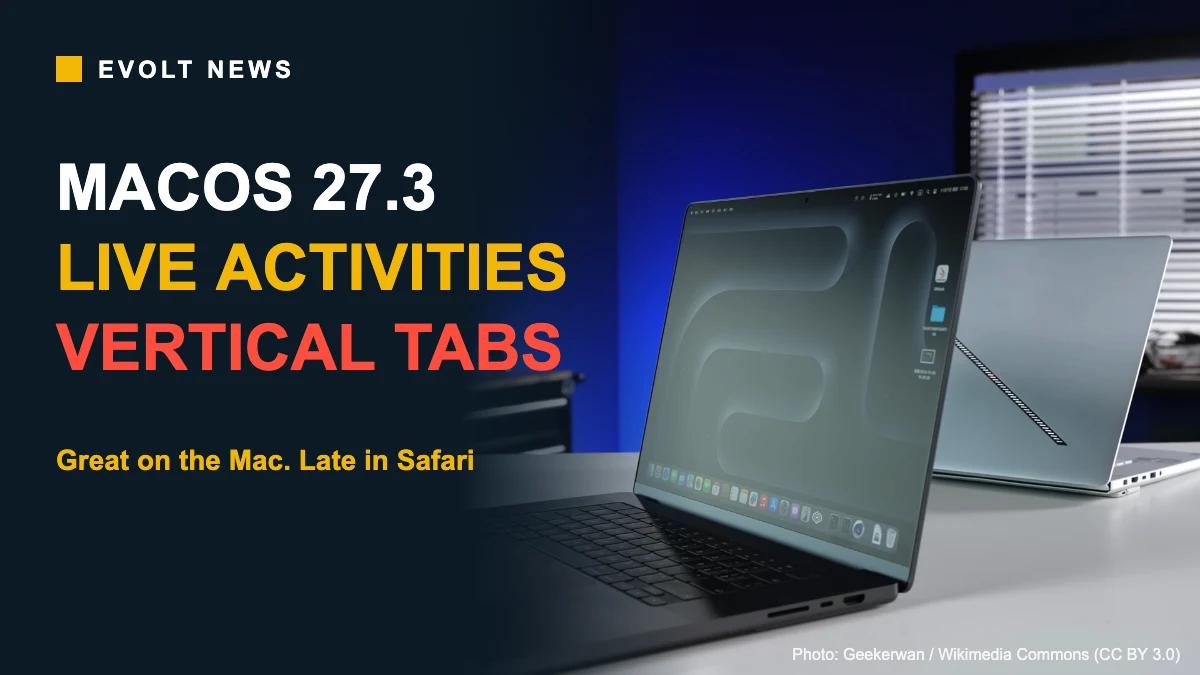
Featured image: Geekerwan / Wikimedia Commons (CC BY 3.0).
This article is opinion.
macOS 27.3: FAQ
When does macOS 27.3 come out?
Apple hasn’t given a date. The public beta 2 points to a release in December 2026.
What’s new in Safari in macOS 27.3?
Vertical tabs and an adaptive dark mode for web pages.
Does macOS 27.3 bring Live Activities to the Mac?
Yes, native Live Activities support arrived with the first beta.
Can Quick Look preview Markdown files?
Yes, macOS 27.3 renders Markdown files in Quick Look.
What changes for Siri AI?
Support for Traditional Chinese, Norwegian, Turkish and Vietnamese, plus more complex actions in Messages, Music, Calendar, Photos and Reminders and file and folder management.
Sources: Apple (macOS 27.3 beta release notes), 9to5Mac.
Our Take
macOS 27.3 is a solid small update: Live Activities and Markdown previews are genuinely useful, vertical tabs are late but welcome.
The part that decides how people feel about Apple, Siri AI, again moves only a few steps. The new privacy switches deserve two minutes of your time.