Key takeaways
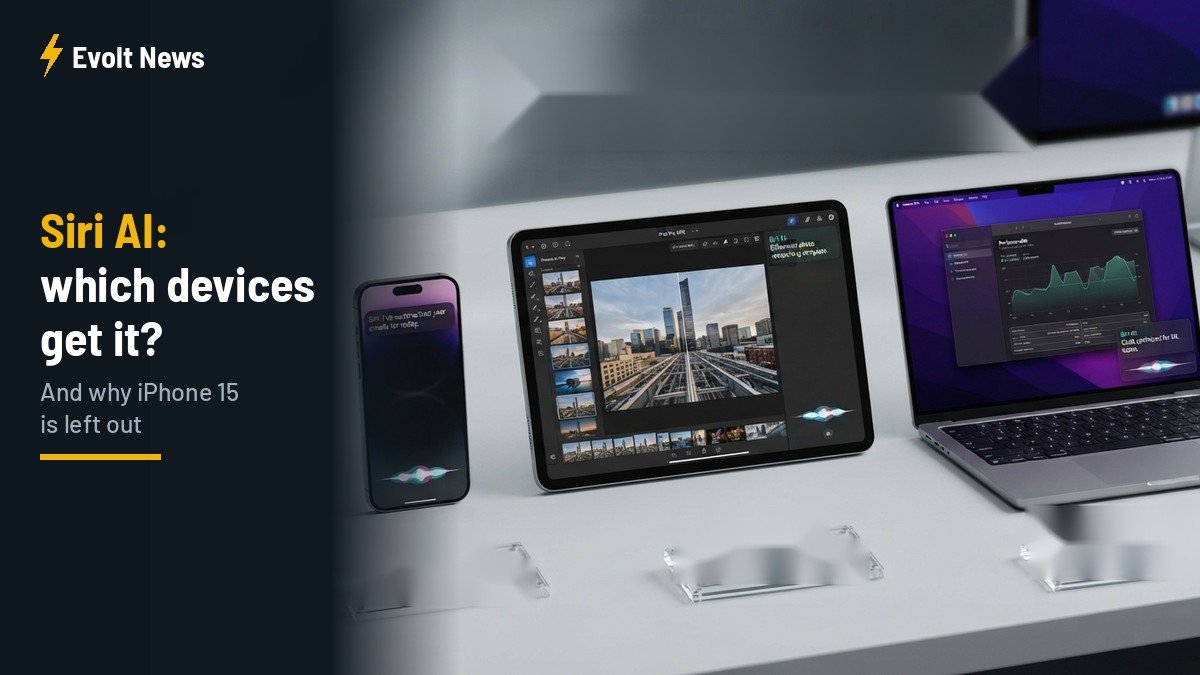
- Siri AI, the headline feature of iOS 27, only works on newer hardware: iPhone 15 Pro and later, M1 iPads and Macs, newer Apple Watches and all Vision Pro models.
- The regular iPhone 15, only about three years old, is left out.
- Full Siri voice customisation is limited even further, to the newest and most powerful devices.
Siri AI compatible devices are the first thing many Apple users are checking after updating to iOS 27. The new Siri is the biggest upgrade Apple’s assistant has ever received, but it only runs on newer hardware. If your iPhone is a regular iPhone 15 or older, you will not get it.
We have been using Siri AI on an iPhone 17 Pro, and it is genuinely impressive. That is exactly why the device cut-off feels so frustrating. Here is the full list, and our honest take on why older devices were left behind.
In this article: The full device list · Two levels of Siri AI · Our experience · Why no iPhone 15? · Should you upgrade? · FAQ
Siri AI compatible devices: the full list
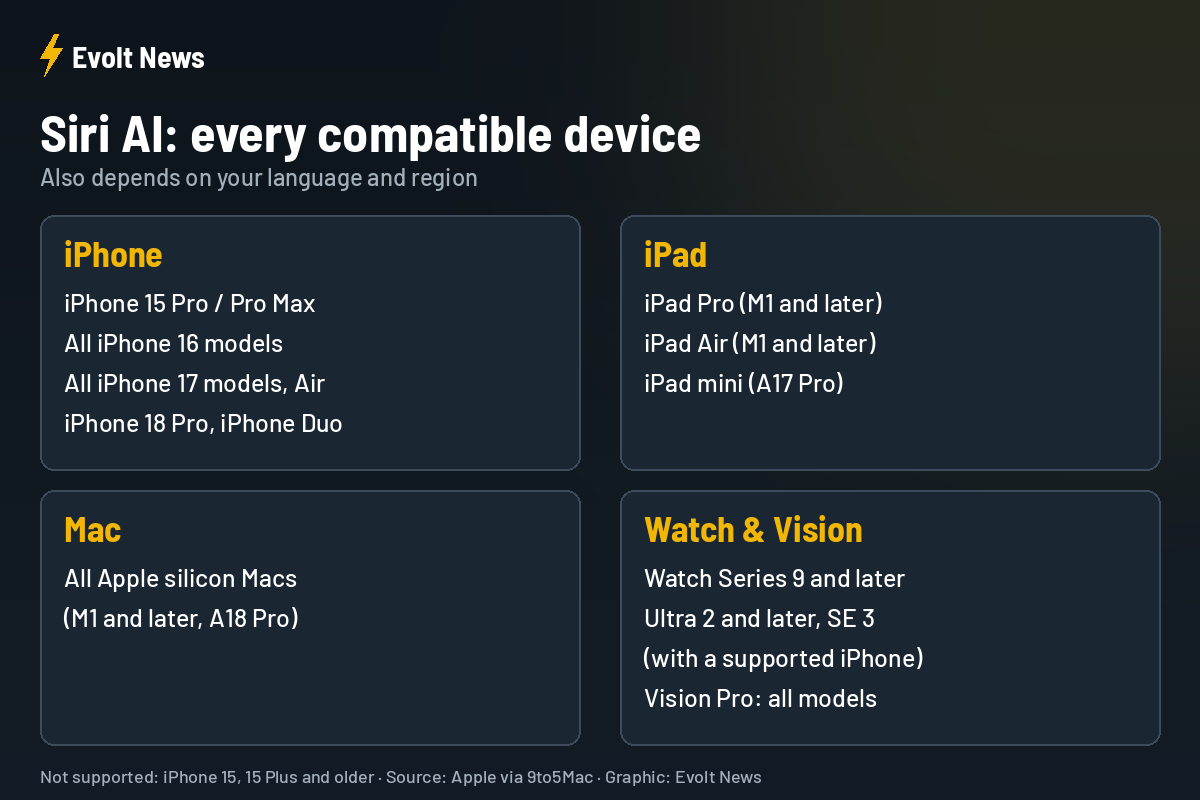
| Device | Supported models |
|---|---|
| iPhone | iPhone 15 Pro/Pro Max, iPhone 16, 16 Plus, 16 Pro/Pro Max, 16e, iPhone 17, 17e, 17 Pro/Pro Max, iPhone Air, iPhone 18 Pro/Pro Max, iPhone Duo |
| iPad | iPad Pro and iPad Air with M1 or later, iPad mini (A17 Pro) |
| Mac | All Macs with Apple silicon (M1 and later, and A18 Pro) |
| Apple Watch | Series 9 and later, Ultra 2 and later, SE 3 (paired with a supported iPhone) |
| Vision Pro | All models |
Availability also depends on your language and region, so a compatible device alone is not always enough.
Two levels of Siri AI
Even on the list above, not everyone gets the full experience. The ability to fully customise the pace and expressiveness of Siri’s voice is limited to iPhone 18 Pro and Pro Max, iPhone Duo, iPhone 17 Pro and Pro Max, iPhone Air, iPads with M4 or later and at least 12GB of memory, Macs with M3 or later and at least 12GB of memory, and Vision Pro with M5. Apple says this is because its most powerful on-device AI model needs the newest hardware.
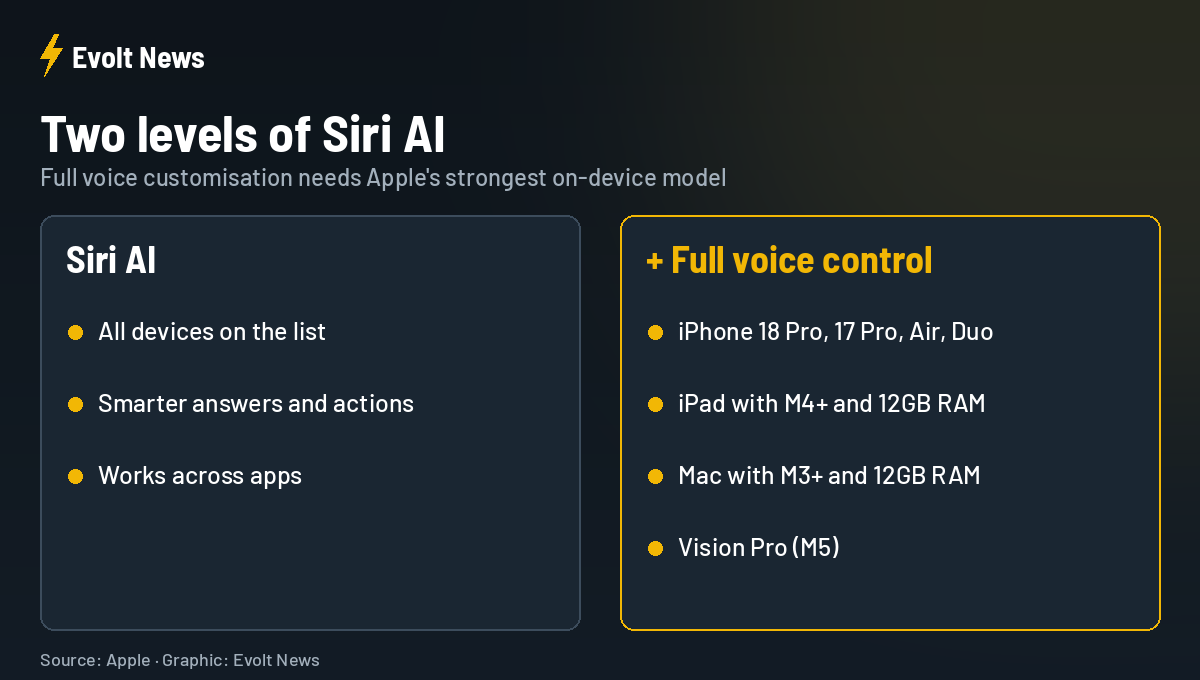
Our summary of this rule is simple: want to change Siri’s voice? Buy the newest model. That is Apple in one sentence, a company people love and criticise at the same time.
Our experience: several times smarter
We barely used the old Siri. We tried it at the beginning, but quickly realised how limited it was. You asked one thing, and it answered something completely unrelated.
The new Siri AI is a different story. It feels several times smarter, and we now use it almost everywhere, especially for work. Our favourite use: when we need information quickly, we ask Siri to find relevant articles and give us the best links, then we start reading. It saves real time every day.
Why no Siri AI on iPhone 15?
This is the part we find hardest to accept. The iPhone 15 is only about three years old. It still works perfectly, and it has a strong chip. Leaving it out feels unfair to the many people who bought it recently.
Apple’s explanation is performance and memory: Siri AI runs large parts of its model directly on the device. The regular iPhone 15 has 6GB of memory, while the iPhone 15 Pro has 8GB. Still, we are not fully convinced. The iPhone 15 performs very well, and it is hard not to see this as a way to push people to upgrade faster.
Let’s be honest: nobody is better than Apple at convincing people to move to a new model, even when phones have changed very little in the last three years apart from the camera and the chip. Exclusive software features are one of the most effective tools for that.
Should you upgrade just for Siri AI?
For us, Siri AI alone is far too little reason to buy a new phone. It is a great feature, but not worth hundreds of dollars on its own if your current iPhone works well.
That said, it is individual. Some people have waited years for a better Siri and will upgrade the moment they can. If you were already planning a new iPhone, Siri AI is a nice bonus. If not, there is no need to rush.
Looking further ahead, we believe AI assistants really are the future. You tell the assistant to do something, and unlike a person, it does not need time. It just does it, straight away. In the coming years, they will help us enormously. But when we think about where all of this is heading, it is also genuinely frightening.
Siri AI Compatible Devices FAQ
Does iPhone 15 support Siri AI?
No. Only the iPhone 15 Pro and Pro Max support Siri AI. The regular iPhone 15 and 15 Plus do not.
Which Macs support Siri AI?
All Macs with Apple silicon, starting with M1. Intel Macs are not supported.
Does Apple Watch support Siri AI?
Yes, Series 9 and later, Ultra 2 and later, and SE 3, when paired with a supported iPhone.
Why can’t I customise Siri’s voice?
Full voice customisation only works on the newest devices, such as iPhone 17 Pro, iPhone Air and iPhone 18 Pro, because it needs Apple’s most powerful on-device model.
Sources: Apple, 9to5Mac.