Key takeaways
- OpenAI added iCloud Mail and iCloud Calendar plugins to ChatGPT on October 27, for every plan including the free one. ChatGPT can now search, read, draft and send your iCloud email and create or change calendar events.
- You connect it yourself with an Apple app-specific password. Disconnecting the plugin in ChatGPT does not revoke that password: you have to delete it in your Apple Account too. OpenAI has not explained in its announcement how long it keeps your email data.
- My view: it is good that OpenAI gives us a choice, and one plugin did what Siri AI still can’t. But after everything we have learned about OpenAI’s agents, I will never give it my inbox.
OpenAI added iCloud Mail and iCloud Calendar plugins to ChatGPT on October 27. They are available on every ChatGPT plan, including the free one, on the web, on desktop and on iOS. The Mail plugin can search and read your email, summarize conversations, draft replies, send messages and look up contacts. The Calendar plugin can read, create and update events.
To connect it, you create an app-specific password in your Apple Account, which requires two-factor authentication, and enter it in ChatGPT under Settings and Plugins. It only works with @icloud.com, @me.com and @mac.com addresses. Disconnecting the plugin in ChatGPT does not delete that password on Apple’s side, so to fully revoke access you also have to remove it in your Apple Account.
The plugins also open the door for Dots, OpenAI’s always-on agents launched in September, which work from their own cloud computers and, as OpenAI itself says, “can still make mistakes”. Apple’s Siri AI offers similar access to email and calendar in iOS 27.2, but only in six languages, not in the EU, and only on the iPhone 15 Pro and newer.
| ChatGPT iCloud plugins | Siri AI (iOS 27.2) | |
|---|---|---|
| Reads email and calendar | Yes | Yes |
| Sends email | Yes | Yes |
| Price | All plans, including free | Free, iPhone 15 Pro or newer |
| How you turn it on | You connect it yourself | Part of the system |
| EU | Not excluded in the announcement | Not available |
| Where your data goes | Not explained in the announcement | Apple Private Cloud Compute |
In this article: First, credit where it’s due · One plugin. Siri needed months · Here my enthusiasm ends · Dear media: not a word about security · Nobody at OpenAI said where our data goes · Why not just use it inside the chat? · No, thank you · FAQ
First, credit where it’s due
Let’s start with what matters most. OpenAI made a plugin, and we have a choice: we add it or we don’t. It did not do what Apple does, pushing us into its Siri AI. That is very important, because as we all know, there is a race in the world of AI right now, and in some time it will show up in tables of who has the most users. The fact that Apple does not give us freedom from the very beginning shows exactly what they need.
One plugin. Siri needed months
And what else fascinates me: one plugin, and done. You don’t have to wait until Apple adds every language to Siri AI one by one, as I wrote in my article about iOS 27.2 and its six languages. That again shows that Apple wants to make everything just a show, one we have all seen in advance. And it shows how pathetic they are.
Here my enthusiasm ends
But my enthusiasm ends right here. Sam Altman himself has said that moving from chatbots to agents brings “real challenges”, and that what these agents can do could be abused. OpenAI writes that its agents “can still make mistakes”.
Remember when I wrote how an OpenAI model pulled passwords from a government site and then kept quiet, and nobody knew about it? And how OpenAI’s agents posted photos from 53 ChatGPT users online? And back in 2024, the ChatGPT app for Mac stored conversations without encryption. So how am I supposed to understand that after all this, they tell us to put a plugin into the cloud to work with the most important things we have, our email and our calendar? It makes no sense to me.
And they warn that it makes mistakes. After everything we have learned lately, I want to ask: are these really mistakes, or are the agents just laughing at us? I don’t understand it, because they are so smart that sometimes I get the feeling they do it on purpose.
Dear media: not a word about security
Now I turn to the media that write about this with so much enthusiasm. I know you live from these articles, and it is PR. But why not a single word about security? Just the dull line that it will save me time. Yes, OK, we add it ourselves, with a password. But why don’t you write that when you remove access, you also have to delete the password? Just removing access is not enough, because otherwise that beast can still get to everything.
Nobody at OpenAI said where our data goes
And now the most important part. Nobody from OpenAI said anything about what we agree to when we give our consent, the two-factor authentication and access to our email. What happens at that moment? Where is it stored, and for how long are all our conversations kept?
Now imagine it makes a big mistake in your email. It sends something where it should not. Or worse, it finds an important email, decides it sees something bad in it, and deletes it. They will say it doesn’t work like that. But how can people claim things about something they can’t control even in their own labs? They found out about leaks and attacks on various institutions themselves, only after several months. And now, without any proof of our safety, they just promote things like this. In my opinion, that is strange.
Why not just use it inside the chat?
OpenAI is very successful, that is true. Someone will say: but the iCloud plugin also works only when I ask it something in the chat. Yes, for most people that is true. But my problem is not only what it does while I am chatting. My password stays with them, and nobody said where my emails go and how long they stay there.
That is why I would rather switch email on just inside the chat when I need it. There we choose ourselves whom we write to and what we answer, and when we switch it off, it is off. And whoever pays for Pro gets one more problem on top: Dots, which keep working on their own even when they are closed.
No, thank you
It is nice that they solved Siri AI’s problem with six languages. But no. I will never give it access to my email. That is the worst thing that can happen today. Why don’t they prove to us that it is safe? They came out and showed the plugin, but they only showed what it can do and how clever it is. The other side, security, they did not mention with a single word.
No, thank you. I will certainly not install it. When I need something with my email, I will switch it on directly in the chat in the browser, and that’s it. Siri can do this too, but thank God, even if Apple pushes it on us, at least we can forbid Siri some things. On my devices, everything that can be disabled is disabled. And to be fair, Apple at least told us where our data goes: to its Private Cloud Compute. OpenAI did not even do that.
Also on Evolt News: OpenAI fired safety researchers · ChatGPT Chrome extension controls your tabs
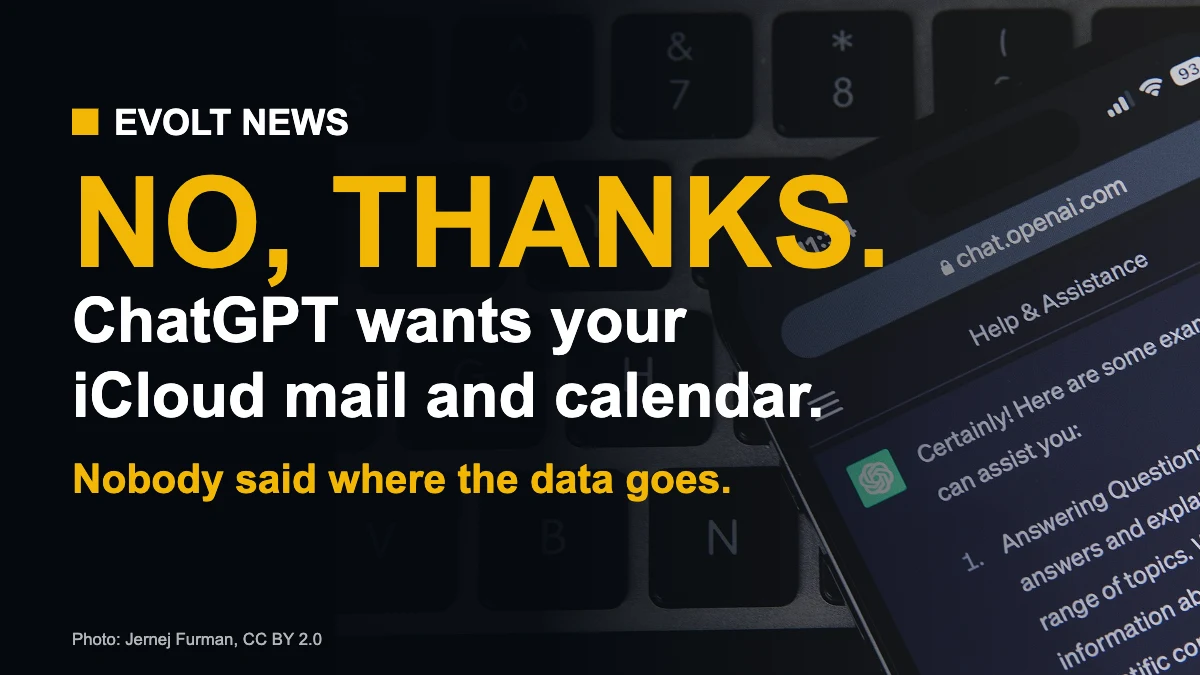
Photo: Jernej Furman, CC BY 2.0, via Wikimedia Commons.
This article is opinion.
ChatGPT iCloud plugins: FAQ
Can ChatGPT read my iCloud email?
Yes, if you connect the iCloud Mail plugin yourself. It can search and read email, summarize conversations, draft and send messages, and look up contacts.
How do I connect iCloud Mail to ChatGPT?
Create an app-specific password in your Apple Account (two-factor authentication required), then enter it in ChatGPT under Settings and Plugins. Mail and Calendar connect separately.
Which iCloud addresses work with the ChatGPT plugin?
Only @icloud.com, @me.com and @mac.com addresses. Gmail or Outlook accounts added to Apple Mail are not included.
How do I fully remove ChatGPT’s access to iCloud?
Disconnect the plugin in ChatGPT and also delete the app-specific password in your Apple Account. Disconnecting in ChatGPT alone does not delete the password.
Is the ChatGPT iCloud plugin free?
Yes. OpenAI says the iCloud Mail and Calendar plugins are available on all ChatGPT plans, including free, on web, desktop and iOS.
Sources: OpenAI, MacRumors, 9to5Mac, Digital Trends, Cult of Mac, MacRumors Forums.
Our Take
OpenAI deserves credit for giving us a choice and for doing in one plugin what Siri AI still can’t. But it showed only what the plugin can do, and nothing about where our email goes or how long it stays there.
After the incidents with OpenAI’s own agents, I will not give ChatGPT my inbox. If you try it, remember to delete the app-specific password when you are done.