Key takeaways
- Your iPhone battery health lives in Settings, Battery, Battery Health. The number that matters is Maximum Capacity: below about 80%, a new battery makes more sense than a new phone.
- Heat is the biggest enemy, not charging overnight. Optimized charging and the charge limit on newer iPhones help, while closing apps all day does not.
- My view: a tired battery is the most common reason people buy a new iPhone too early. In many cases, one battery replacement gives you another good year or two.
Every iPhone shows how worn its battery is in Settings, Battery, Battery Health, and newer models from iPhone 15 also show the cycle count and let you set a charging limit. Apple says iPhone batteries are designed to keep about 80% of their original capacity after a set number of charge cycles, 500 on older models and 1,000 on iPhone 15 and later.
In this article: First, find the number that really matters · The biggest enemy is heat, not your charger · Turn on the charging settings that actually help · What really drains your battery during the day · The myths that waste your time · New battery or new iPhone? · FAQ
Selling or trading in your iPhone? The 6-step checklist
First, find the number that really matters
Open Settings, then Battery, then Battery Health (on some versions, Battery Health and Charging). Look at Maximum Capacity. This is how much energy your battery holds compared with when it was new. 100% is new. 85% means you lost about one hour of a long day.
On iPhone 15 and later you also see the cycle count, the number of full charges your battery has done. One cycle is 100% of use in total, so two days at 50% each is one cycle. Write both numbers down today, and check them again in three months. Then you know how fast your battery really ages.
| Maximum Capacity | What it means | What I would do |
|---|---|---|
| 95 to 100% | Practically new | Nothing, just avoid heat |
| 85 to 94% | Normal wear after one or two years | Use the settings below, no worries |
| 80 to 84% | You start to feel it in the evening | Plan a battery replacement, not a new phone |
| Below 80% | Worn out, iPhone may show “Service” | Replace the battery at Apple or an authorized shop |
The biggest enemy is heat, not your charger
People worry about charging overnight. Apple’s own guidance is clear that heat is what damages a lithium-ion battery most. Charging on a hot dashboard in summer, gaming while charging under a pillow, a thick case during fast charging: that is what eats capacity.
Simple rules: don’t leave your iPhone in the sun or in a hot car, take off a very thick case if the phone gets hot while charging, and don’t play heavy games on the charger. If your iPhone shows a temperature warning, stop charging and let it cool.
Turn on the charging settings that actually help
Optimized Battery Charging learns your routine and waits at 80% until shortly before you usually unplug. Keep it on. In Settings, Battery, Charging, newer iPhones from iPhone 15 also let you set a charge limit, so the battery stops at 80% or another level you choose. If one day of battery at 80% is enough for you, this is the single best setting for a long battery life.
If you need 100% on a travel day, just switch it off for that day. A battery is there to be used, not to be protected like a museum piece.
What really drains your battery during the day
Open Settings, Battery and look at the list of apps. The truth is usually there: one app with a lot of background activity, or the screen. Lower brightness or turn on Auto-Brightness, and check which apps use location “Always” in Settings, Privacy and Security, Location Services.
Background App Refresh for apps you rarely open can go off, in Settings, General. Low Power Mode is great when you’re out for the evening: it reduces background work until you charge. And if you run out of storage, the phone works harder too, so keep enough free space.
The myths that waste your time
Closing all apps in the app switcher does not save battery. Apple itself says it is not needed, and reopening an app from zero can cost more than leaving it suspended. You also don’t need to drain the battery to 0% once a month on a modern iPhone. And fast charging, used normally and without heat, is not killing your battery.
What does matter: heat, staying at 100% for very long periods in heat, and very deep discharges. That’s it. Everything else is mostly internet folklore.
New battery or new iPhone?
If your iPhone is only slow in the evening and Maximum Capacity is around 80%, a battery replacement at Apple or an authorized repair shop usually gives you a phone that feels new again for a fraction of a new iPhone’s price. Cheap no-name batteries can show warnings and fail early, so I wouldn’t save on that.
Buy a new iPhone when you want new features or the old one no longer gets updates, not just because of the battery. And if you are thinking about it anyway, read whether to wait for the 2027 iPhones first. Before you sell or trade in the old one, prepare it properly, and keep Find My on until the last moment.
Also on Evolt News: iPhone storage full? How to free up space · The 2027 iPhone lineup: wait or buy now? · iPhone stolen? What to do in the first hour
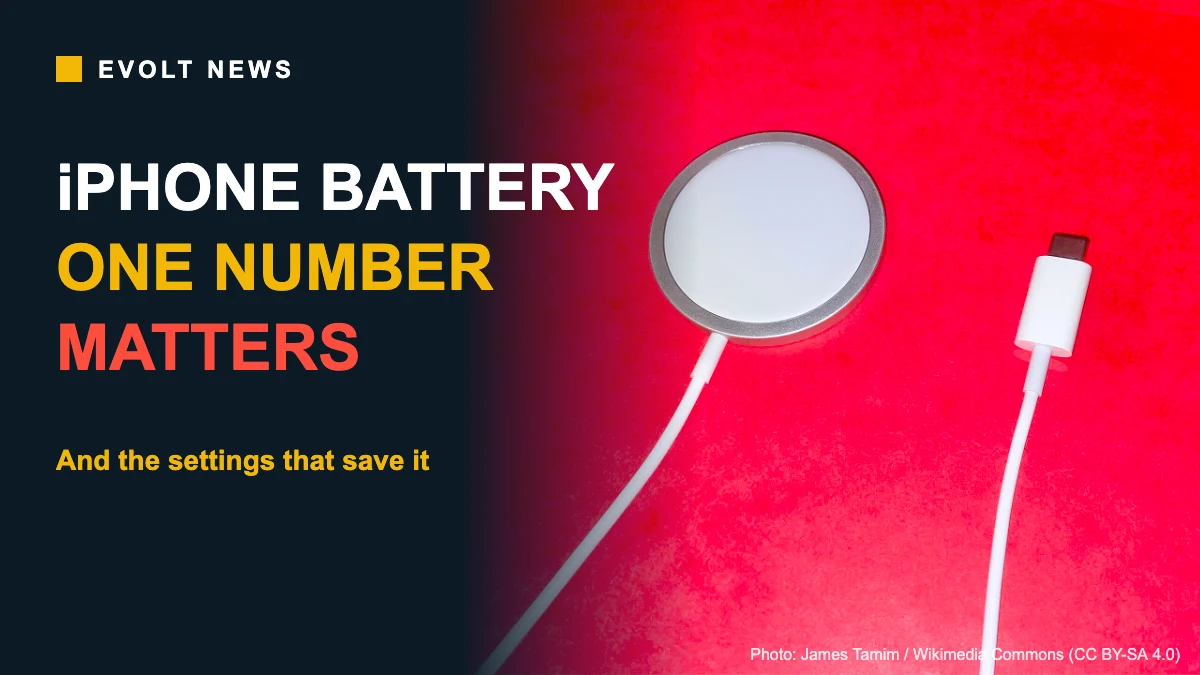
Featured image: James Tamim / Wikimedia Commons (CC BY-SA 4.0).
This article is opinion.
iPhone battery health: FAQ
How do I check my iPhone battery health?
Open Settings, then Battery, then Battery Health. Maximum Capacity shows how much charge the battery holds compared with when it was new. On iPhone 15 and later you also see the cycle count.
What battery health percentage is bad?
Around 80% Maximum Capacity is the point where most people feel it and where Apple’s design target ends. Below 80%, the iPhone may recommend service, and a battery replacement is usually worth it.
Is it bad to charge my iPhone overnight?
Not with Optimized Battery Charging turned on. It holds the charge at 80% and finishes shortly before you usually unplug. Heat is a much bigger risk than overnight charging.
Should I set the 80% charge limit?
If one day at 80% is enough for you, yes. On iPhone 15 and later you can set a charge limit in Settings, Battery, Charging, which reduces wear over time. Switch it off on days you need a full battery.
Does closing apps save battery?
No. Apple says force-closing apps is not needed for battery life. Reopening apps from scratch can even use more energy.
How many charge cycles does an iPhone battery last?
Apple designs iPhone batteries to keep about 80% of original capacity at 500 full cycles on older models and at 1,000 full cycles on iPhone 15 and later, under ideal conditions.
Sources: Apple.
Our Take
Check Maximum Capacity and, on newer iPhones, the cycle count. That number tells you more than any battery app or rumor.
Keep the phone cool, use Optimized Battery Charging or the charge limit, and replace the battery before you replace the iPhone.