Key takeaways
- Before you sell or trade in an iPhone, back it up, unpair your Apple Watch, sign out of your Apple Account, then erase it in Settings, General, Transfer or Reset iPhone.
- Signing out is the step people forget. Without it, Activation Lock stays on and the buyer gets a phone they can’t use, while your data and your number can stay tied to the old device.
- My view: a new iPhone is a big expense, so the old one should bring you money, not problems. Twenty minutes of preparation decides both.
Apple’s own checklist for selling, giving away or trading in an iPhone has a fixed order: back up, move your data to the new phone, then remove your personal information by unpairing an Apple Watch, signing out of your Apple Account and erasing the device. On iOS 26 and later, signing out happens in Settings under your name, where you can choose to erase the iPhone right away or sign out without erasing.
In this article: The order matters more than the steps · Sign out, or the buyer gets a brick · Erase it properly, and don’t forget the small things · If the phone is already gone · Before you sell: check what it’s really worth · Trade-in or private sale? · FAQ
The order matters more than the steps
Most people do it backwards. They erase first, then realize the last backup is three months old, or the new phone is not set up yet. Do it in this order: back up, set up the new iPhone with Quick Start while both phones are next to each other, check that your photos, chats and apps are really there, and only then touch the old one.
If your new phone number is different, add it to your Apple Account as a trusted number before you start. Otherwise the two-factor codes go to a SIM you are about to give away.
| Step | Where | What happens if you skip it |
|---|---|---|
| 1. Back up | Settings, your name, iCloud, iCloud Backup (or a Mac/PC) | Photos and chats are gone for good |
| 2. Unpair Apple Watch | Watch app, All Watches, info button, Unpair | The watch stays locked to the old phone |
| 3. Sign out | Settings, your name, Sign Out | Activation Lock: the buyer can’t use the phone |
| 4. Erase | Settings, General, Transfer or Reset iPhone, Erase All Content and Settings | Your data goes with the phone |
| 5. eSIM | Choose to erase the eSIM too when asked | Your number may stay tied to the old phone |
| 6. Trusted devices | Remove the old iPhone from your Apple Account device list | Codes could still show on a phone you don’t own |
Sign out, or the buyer gets a brick
This is the step that turns a sale into an argument. As long as you are signed in, Find My and Activation Lock stay on. The buyer erases the phone, it restarts, and it asks for your Apple Account password. They can’t use it, and you get messages, returns or a bad review.
On iOS 26 and later: Settings, tap your name, scroll down, Sign Out. You can choose Erase this iPhone directly. If it asks which account to leave, choose to sign out of iCloud and the Store. On older versions you type your Apple Account password and tap Turn Off.
Erase it properly, and don’t forget the small things
Then Settings, General, Transfer or Reset iPhone, Erase All Content and Settings. If you use an eSIM and the phone asks, choose to erase the eSIM as well. With a physical SIM, just take it out. Unpair your Apple Watch before all this, in the Watch app, otherwise the watch stays tied to the old phone.
Two more things almost nobody does: remove the old iPhone from the device list in your Apple Account, so it is no longer a trusted device for codes, and if you have AppleCare on it, cancel it or transfer it to the buyer. And if you are moving to Android, deregister iMessage, otherwise texts from iPhone friends can go missing for weeks.
If the phone is already gone
Sold it already and forgot? Ask the new owner to erase it with the steps above. If they can’t, or the phone was lost or stolen, erase it remotely in Find Devices on iCloud.com, remove it from your trusted devices, and change your Apple Account password. If it was stolen, follow my first-hour guide before anything else.
If you use Apple Pay, remove your cards from that device too. It sounds paranoid. It takes one minute.
Before you sell: check what it’s really worth
A buyer or a trade-in quote looks first at the screen, the body and the battery. Look at Settings, Battery, Battery Health before you list it. If Maximum Capacity is low, say it honestly in the ad, because the buyer will check it in the first minute. My battery guide explains what the number means.
Also check Settings, General, About, Parts and Service History. If a part shows an unfinished repair, Apple says to complete it before trading the phone in. Clean the phone, find the box and cable if you still have them, and take real photos. An honest ad sells faster than a cheap one.
Trade-in or private sale?
Trade-in is the easiest: no meetings, no strangers, the value goes straight to the new phone. A private sale usually brings more money, but you pay for it with time and risk. My rule: if the difference is small, take the trade-in. If it’s a big difference, sell privately, meet in a public place, and never hand over the phone before the payment is really in your account.
And if you are still not sure you need a new iPhone at all, read whether to wait for the 2027 lineup first. Sometimes the best deal is a new battery and one more year with the phone you already have.
Also on Evolt News: iPhone battery health: the one number that matters · iPhone stolen? What to do in the first hour · The 2027 iPhone lineup: wait or buy now?
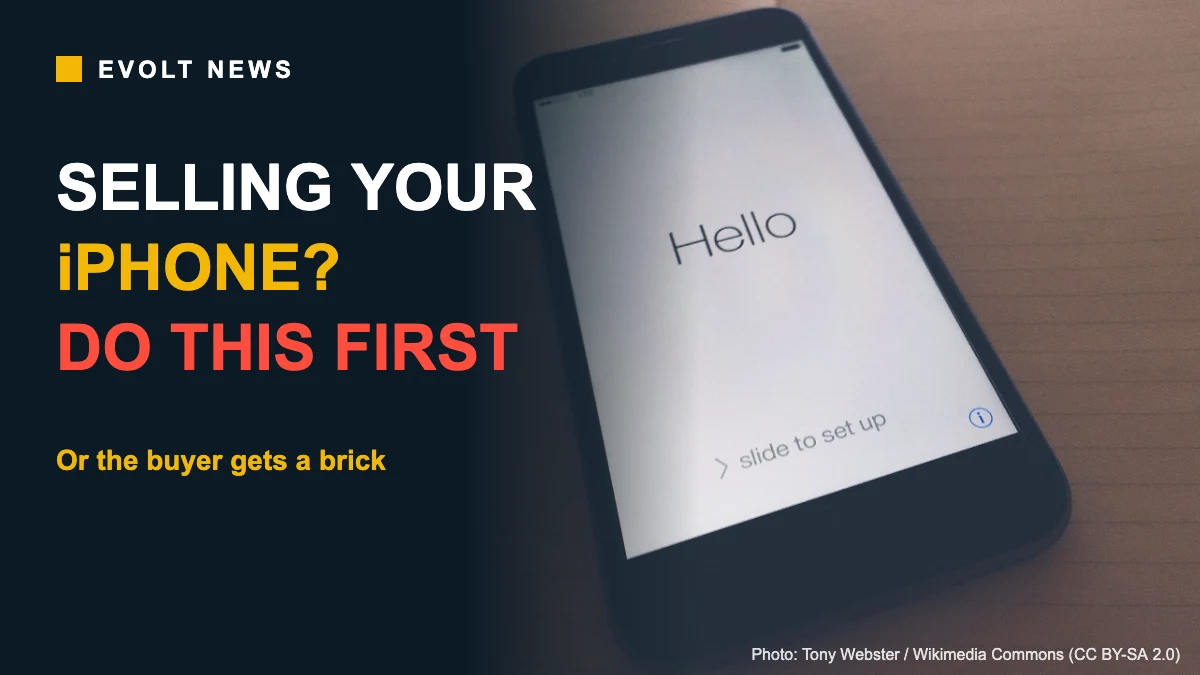
Featured image: Tony Webster / Wikimedia Commons (CC BY-SA 2.0).
This article is opinion.
Selling or trading in an iPhone: FAQ
What should I do before selling my iPhone?
Back up, move your data to the new phone, unpair your Apple Watch, sign out of your Apple Account, then erase the iPhone in Settings, General, Transfer or Reset iPhone, Erase All Content and Settings.
Does erasing an iPhone remove Activation Lock?
Only if you sign out of your Apple Account first or erase it from the Sign Out menu on iOS 26 and later. If you erase without signing out, the phone can still ask the next owner for your password.
How do I sign out of my Apple Account on iOS 26?
Open Settings, tap your name, scroll down and tap Sign Out. You can choose to erase the iPhone right away or sign out without erasing.
What happens to my eSIM when I erase my iPhone?
When the iPhone asks, choose to erase the device and the eSIM. If you don’t, contact your carrier to move the line.
I already sold my iPhone without erasing it. What now?
Ask the buyer to erase it. If that isn’t possible, erase it in Find Devices on iCloud.com, remove it from your trusted devices and change your Apple Account password.
Should I deregister iMessage when switching to Android?
Yes. Otherwise messages from iPhone users can keep trying to reach iMessage and never arrive as normal texts.
Sources: Apple.
Our Take
Back up, sign out, erase: in that order. Signing out is the step that protects both you and the buyer.
Spend twenty minutes before the sale and you avoid weeks of messages, lost photos and a phone the buyer can’t use.