Key takeaways
- watchOS 27.0.1 fixes a bug that could make Apple Watch restart unexpectedly. It is now available for every watch that runs watchOS 27.
- Apple released it first for Series 12 and Ultra 4 last week, then for SE 3, Series 9, 10, 11, Ultra 2 and Ultra 3 on September 28.
- If your watch still restarts after updating, a force restart, freeing storage or re-pairing usually helps.
If your Apple Watch is restarting on its own, watchOS 27.0.1 is the update you have been waiting for. Apple has now made the fix available for all Apple Watch models compatible with watchOS 27, a week after first releasing it only for the brand-new Series 12 and Ultra 4.
We have been through this kind of problem ourselves more than once, so here is a practical guide: which watches get the update, how to install it without trouble, and what to do if your watch still misbehaves.
In this article: What watchOS 27.0.1 fixes · We have been there · How to install it · Still restarting? · FAQ
What watchOS 27.0.1 fixes, and who gets it
Apple’s release notes are short: the update brings bug fixes, including a fix for an issue where Apple Watch may restart unexpectedly. The build number is 24R365, the same as last week’s release for the newest models.
| Release | Apple Watch models |
|---|---|
| Last week | Series 12, Ultra 4 |
| September 28 | SE 3, Series 9, Series 10, Series 11, Ultra 2, Ultra 3 |
On the same day Apple also released iOS 27.0.1, which fixes an issue that could make some iPhone 18 Pro models restart when using Face ID, along with updates for iPad, Mac and Vision Pro.
Why did newer watches get the fix a week earlier? Apple has not said. Maybe it had a specific reason, or maybe it simply wanted to protect its newest buyers first. It is an odd detail, but a one-week gap is not a big deal. If older watches had to wait half a year, that would be a real problem.
We have been there: watchOS updates and restarts
We use our Apple Watch mainly for notifications, Apple Pay and counting reps during workouts. And we are so used to it that without it on our wrist, we feel as if we have lost something, even when it is just sitting on the charger at home.
That is exactly why bugs after watchOS updates hurt so much. Honestly, after installing a new major watchOS, we have almost always had problems, and sometimes serious ones. With an Apple Watch Series 5, we remember the watch switching itself off after an hour or so of normal use, and freezing completely across several versions.
Since then, we have a simple habit. We do not install a new watchOS on day one. We wait a couple of weeks, read what other users report, and only when we hear that the update is stable and watches are not shutting down or freezing, we install it ourselves. Our advice for any new version of watchOS: wait for Apple’s first bug-fix update, like this one, before you install.
How to install watchOS 27.0.1
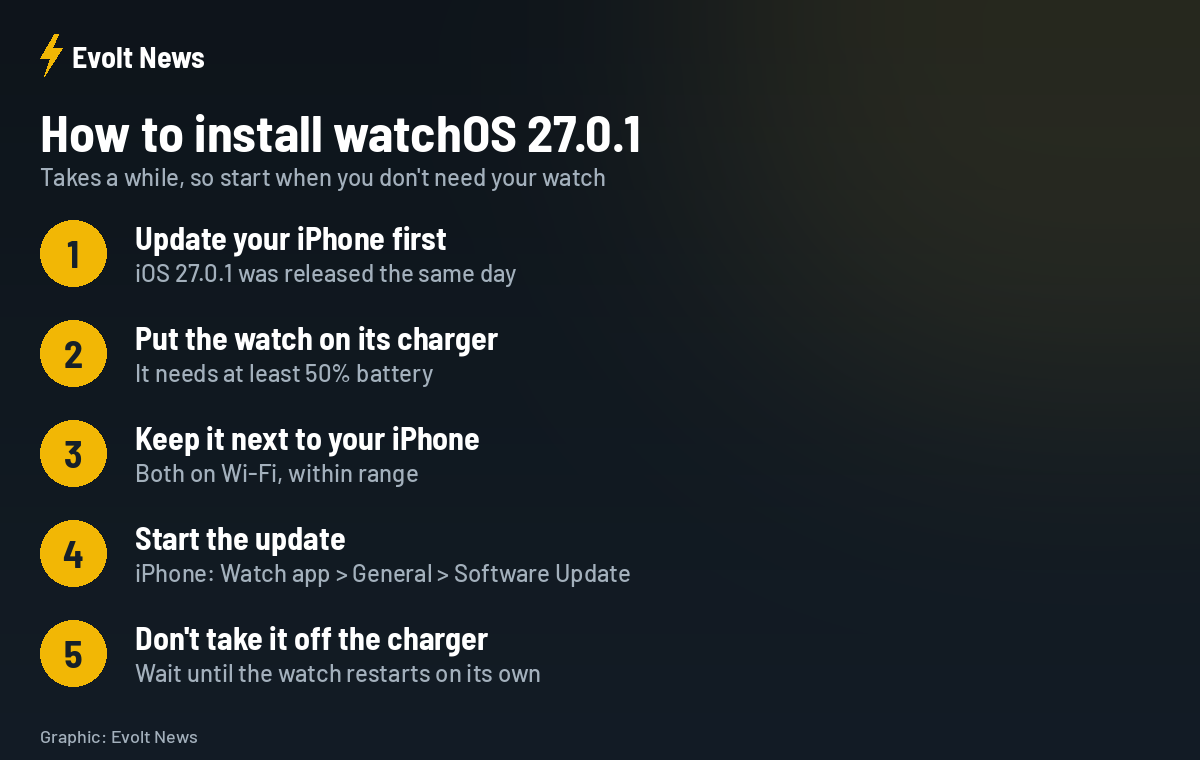
- Update your iPhone to iOS 27.0.1 first.
- Put your Apple Watch on its charger with at least 50% battery.
- Keep the watch close to your iPhone, with the iPhone connected to Wi-Fi.
- On your iPhone, open the Watch app, then General, then Software Update. You can also start it on the watch in Settings, General, Software Update.
- Leave the watch on the charger until it restarts on its own.
One thing we really wish Apple would change: the watch has to stay near the iPhone during the whole update. It is not very convenient, and we hope Apple finds a different way, for example updating directly over Wi-Fi without the phone nearby.
Apple Watch still restarting after the update?
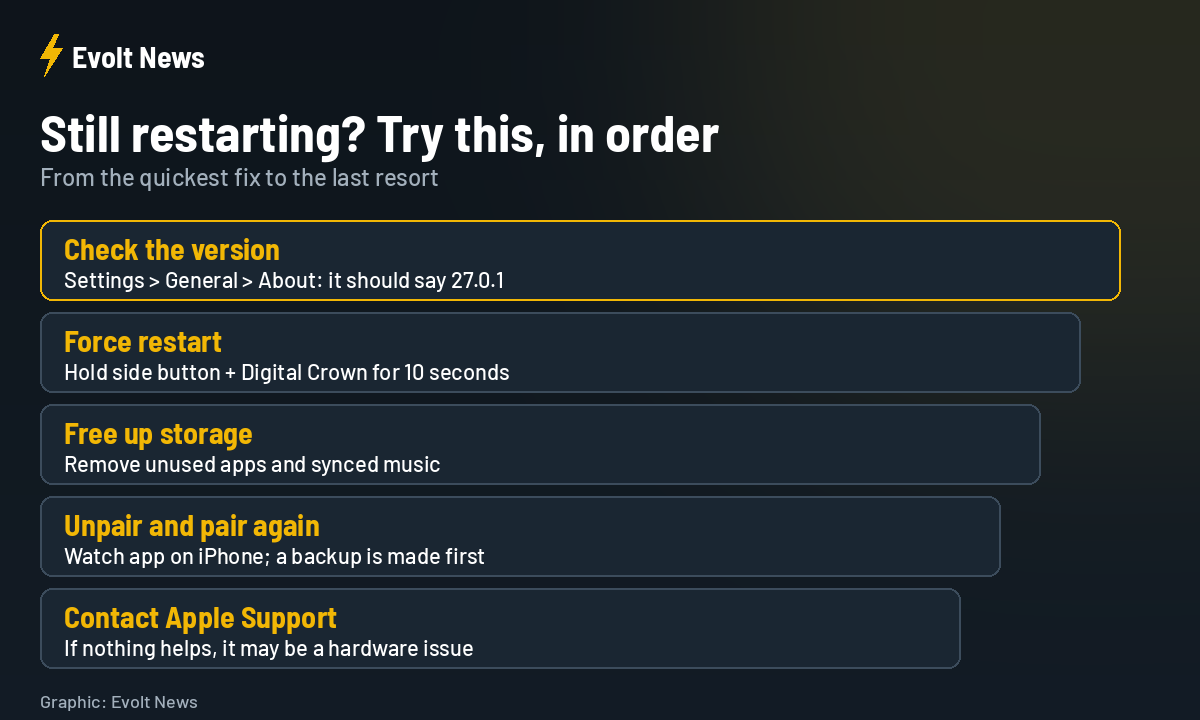
- Check the version: on the watch, go to Settings, General, About, and make sure it shows 27.0.1.
- Force restart: hold the side button and the Digital Crown together for about 10 seconds, until the Apple logo appears.
- Free up storage: remove apps and music you do not use.
- Unpair and pair again: in the Watch app on iPhone. Your iPhone backs up the watch before unpairing.
- Contact Apple Support: if nothing helps, the problem may be hardware.
watchOS 27.0.1 FAQ
Which Apple Watch models get watchOS 27.0.1?
All models that support watchOS 27: SE 3, Series 9, 10, 11 and 12, Ultra 2, 3 and 4.
What does watchOS 27.0.1 fix?
Bug fixes, including an issue where Apple Watch may restart unexpectedly.
Why does my Apple Watch need to be on the charger to update?
Apple requires the watch to be charging with at least 50% battery so the update cannot be interrupted by a flat battery.
Should I update right away?
This is a bug-fix release, so yes, especially if your watch has been restarting. For big new watchOS versions, we prefer to wait for the first fix.
Sources: Apple, 9to5Mac.