Key takeaways
- Apple and the American Academy of Pediatrics have released “Building Healthy Digital Habits: A Guide for Families”, a six-step plan for managing screen time.
- It covers conversations, Child Accounts, app and web approvals, schedules and communication limits, with Communication Safety on by default for everyone under 18.
- Our view: the pediatrician partnership is a hopeful sign, but parents, not settings, will make the real difference.
Apple’s family screen time guide arrives at exactly the right moment. Made together with the American Academy of Pediatrics (AAP), “Building Healthy Digital Habits: A Guide for Families” aims to help parents balance device use with sleep, exercise, schoolwork and time with friends. It follows the new child safety features Apple introduced in iOS 27.
We have nephews and nieces, and we see this problem everywhere we go. So we read the guide with one question in mind: is this real help, or just good PR from the company that makes the devices kids cannot put down?
In this article: A generation glued to screens · The six steps · Real help or PR? · Control vs. privacy · What parents can do · FAQ
A generation glued to screens
Wherever you go today, on a tram, on the subway, on a bus or in a shop, children are holding phones and not noticing anything around them. It is genuinely frightening. Sometimes it feels like walking among living zombies.
We worry about what this means for the future. How will these children fit into communities and workplaces as adults? We already see groups sitting at the same table, everyone staring at their own phone. And there are moments that are hard to watch: a mother takes the phone away or simply wants to talk to her child, and the child reacts with a tantrum, demanding to be left alone.
We think this is a problem that governments and authorities should take seriously, at the highest level. Something needs to change, so that the future looks at least a little better than what we see today.
To be fair, we are not perfect either. We spend a lot of time on our phone, mostly for work, and unfortunately many chats are work-related and need answers. But at home, we try to rest from our gadgets as much as we can.
The six steps in Apple’s guide
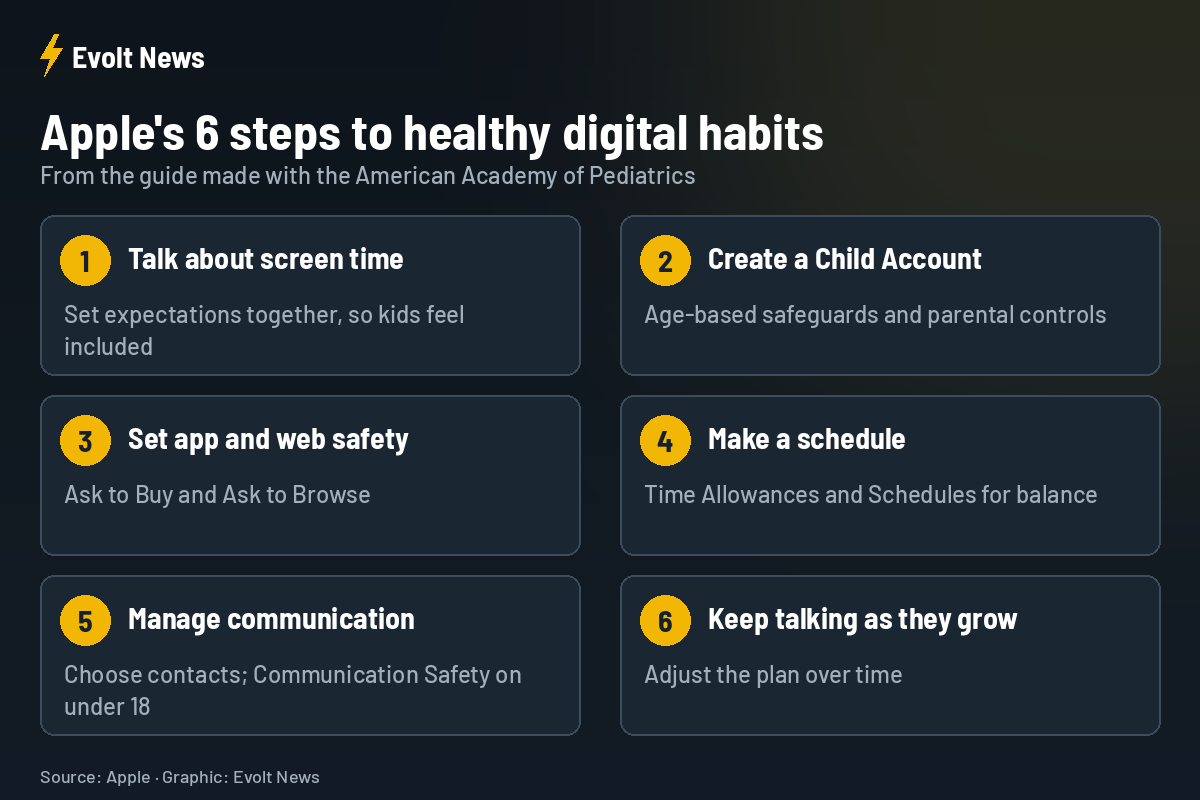
- Start a conversation about screen time, with tips for setting expectations in a way that makes kids feel included.
- Create a Child Account, which turns on age-based safeguards and gives parents controls.
- Set safety settings for websites and apps, including Ask to Buy and Ask to Browse, so families review new apps and sites together.
- Make a schedule for device use with Time Allowances and Schedules, balancing time online with sleep, school, activity and family.
- Manage communications: parents decide who their child can talk to, and Communication Safety is on by default for all users under 18.
- Continue the conversation as kids grow, adjusting the plan over time.
The guide, “Building Healthy Digital Habits: A Guide for Families”, is available on Apple’s support website.
Real help, or good PR?
Let’s be honest: in the end, everything at Apple is about money. Apple knows that when children learn to stare at a screen from a young age, and when Apple’s phones are the most desired devices, the next generation of loyal users is already growing up.
Still, we want to believe that Apple genuinely wants to help. What gives us hope is the partnership with pediatricians. Working with the AAP suggests that something at Apple may be changing, that the company is thinking about younger users and understands that endless screen time is not good for a child’s psychological development.
Parental control vs. privacy
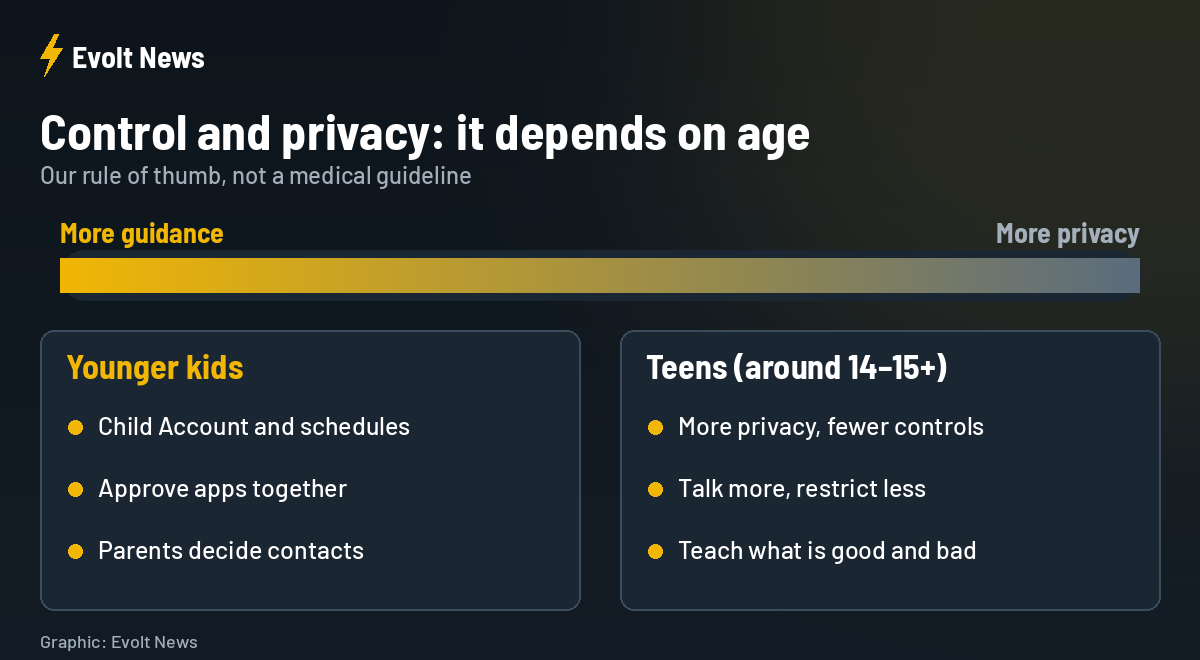
Parental controls are good, but everything has its limits. It depends on the child’s age. Younger kids need clear rules and protection. But by around 14 or 15, children want more privacy. They are growing up and entering puberty, and we all know how that works. Controls that feel protective at eight can feel like spying at fifteen.
What parents can really do
What is the biggest danger for children online? Honestly, almost everything. But we do not believe the answer is to lock every door. A child has to build some immunity, and parents have to stay close, explaining what is good and what is bad. Settings help, but they cannot replace a parent who is present.
| Tool | What it does |
|---|---|
| Child Account | Age-based safeguards and parental controls |
| Ask to Buy / Ask to Browse | Kids request approval for new apps and websites |
| Time Allowances and Schedules | Limits and set times for device use |
| Communication Safety | On by default under 18, helps protect from sensitive content |
Apple Family Screen Time Guide FAQ
What is Apple’s new family guide?
“Building Healthy Digital Habits: A Guide for Families”, created with the American Academy of Pediatrics to help families manage screen time.
What is a Child Account?
An Apple Account for children that turns on age-based safeguards and gives parents controls over apps, purchases and communication.
Is Communication Safety turned on automatically?
Yes, for all users under 18, according to Apple.
Where can I find the guide?
On Apple’s support website, under “Building Healthy Digital Habits: A Guide for Families”.
Sources: Apple Newsroom, Apple Support, 9to5Mac.