Key takeaways
- iOS 27.3 is expected in the first half of December. It brings the redesigned Health app, Fitness+ Gym Strength, the iPhone Duo’s StandBy for every iPhone, Safari Vertical Tabs and Adaptive Dark Mode, video podcasts in the TV app and many new Siri AI actions.
- It also brings daily usage limits for Siri AI and some Apple Intelligence tools. Higher limits come with iCloud+ plans of 200GB and up.
- My view: the best things in iOS 27.3 are the small, free ones like Adaptive Dark Mode and the VPN switch. The biggest change, the AI limits, is the one Apple talks about the least.
iOS 27.3 is in public beta now and, based on Apple’s December pattern of recent years, should reach all iPhone users in the first half of December. It is effectively this year’s x.2 update, because iOS 27.1 was released only for the iPhone Duo.
In this guide: Every new feature in one table · The Health app finally comes back · Siri AI gets smarter, and gets a meter · The small features I’d turn on first · What this means for you · My prediction · FAQ
Read next: The best iOS 27 features aren’t AI: 12 things worth turning on
Related: How to turn on iOS 27 Connectivity Assist for weak Wi-Fi
Read next: Image Playground is finally good. Two years late, and now with a daily limit
Check your device: Siri AI compatible devices: the full list of iPhones, iPads and Macs
Apple Watch problems? Read Apple Watch restarting? How to fix it on watchOS 27.
Every new feature in one table
Here is everything that matters in iOS 27.3, sorted by how much it changes your day. I marked what is free for everyone and what has a catch.
| Feature | What it does | Who gets it |
|---|---|---|
| Redesigned Health app | Three tabs: Insights, Longevity (with a “Health Age” comparison) and Browse | All iPhones; Insights needs Apple Intelligence |
| Fitness+ Gym Strength | Four-week strength plans that adapt to the reps and weights you log | Fitness+ subscribers |
| StandBy redesign | The iPhone Duo’s new clock faces, colors, complications, Shared Albums | All iPhones |
| Siri AI actions | New actions in Calendar, Files, Mail, Maps, Messages, Notes, Photos, Safari and more | Siri AI devices |
| Siri AI and Health | Ask about steps, heart rate and activity rings | Siri AI devices |
| Siri AI languages | French, Japanese, Korean, Portuguese and Spanish | Siri AI devices |
| Usage limits | Daily caps on complex Siri AI tasks, Clean Up, Image Playground and more | Everyone; higher with iCloud+ 200GB and up |
| Safari | Vertical Tabs (iPhone Duo, iPad, Mac) and Adaptive Dark Mode | All iPhones (Vertical Tabs on Duo) |
| Apple Music | “Selfie Sing” karaoke video and better landscape lyrics | Apple Music subscribers |
| Apple TV app | Video podcasts and vertical “Clip Collections” | All iPhones |
| Calendar | Search and new-event buttons move to the bottom | All iPhones |
| Control Center | Switch between VPNs, not just on or off | All iPhones |
| iPhone Duo | Reachability, front-camera face unlock, narrower keyboard, lock when closed, Attention Aware | iPhone Duo only |
The Health app finally comes back
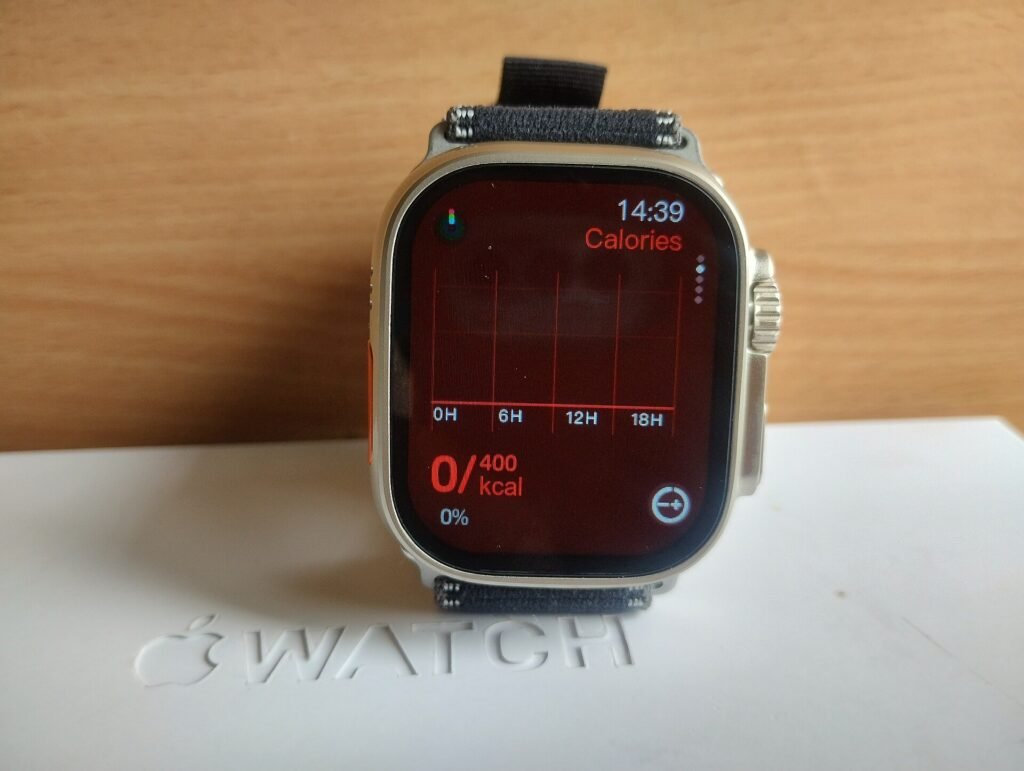
Some context first. Apple showed the new Health app during iOS 27.2 testing, then pulled it before release. Now it’s back. The app adapts to your data, and the new Longevity tab shows a “Health Age” that compares your Apple Watch measurements with your real age. Apple Watch Series 12 and Ultra 4 owners also get a morning Readiness score.
I like the idea, honestly. Most people open Health once, see a wall of numbers and never come back. A simple “your body looks like 38, not 45” is something people understand. But I’d treat that number like a bathroom scale: useful as a trend, not as a diagnosis.
Siri AI gets smarter, and gets a meter
Siri AI can now do real work across Apple apps: find the coffee shop you visited last week, archive files you haven’t opened in a year, add your kid’s whole sports schedule to Calendar. It can also read a full Safari page as context and answer questions about your Health data. Developers can start testing “app skills” for Siri AI, with a public release in a few months.
And then the catch. iOS 27.3 adds daily usage limits for complex Siri AI actions, Clean Up, Extend, Spatial Reframing, Image Playground and some cloud models. Basic Siri still works when you hit the limit. Higher limits come with iCloud+ plans of 200GB and up; the 50GB plan keeps the standard limits. I wrote about this the day it leaked: a daily limit is the first step to selling AI as a subscription. iOS 27.3 makes it official.
Think about it like a phone plan. First the data is “unlimited”. Then it’s “unlimited with fair use”. Then there’s a bigger plan for people who “use more”. Apple is at step two.
The small features I’d turn on first
Here is my short list, all free, no subscription needed:
- Safari Adaptive Dark Mode. It darkens websites that don’t have a dark theme. Your eyes at midnight will thank you.
- VPN switching in Control Center. If you use more than one VPN, this saves three taps every time.
- The new StandBy. If your iPhone charges on a stand at night, the new faces and Shared Albums make it a real bedside clock.
- Calendar buttons at the bottom. Small, but on a big phone you’ll feel it every day.

What this means for you
Here is the practical part:
- Wait for the final release. The public beta is fine for testers, but it already broke things for some people, as I wrote in my look at the iOS 27.3 beta. December is close.
- Before you update: back up your iPhone and check that your favorite apps have been updated recently.
- Watch your AI usage the first week. If you hit the limit often, decide calmly whether a bigger iCloud+ plan is worth it. Most people won’t need it.
- Privacy: Siri AI reading full web pages and Health data is powerful. Check Settings and decide what it’s allowed to see. Apps like Signal are already blocking screenshots to keep Siri AI out.
My prediction
iOS 27.3 lands around December 10, very close to the dates of the last five years. The Health app will get the headlines. The usage limits will get the complaints a week later, when people start hitting them on Christmas photos with Clean Up.
And by spring, I expect Apple to show a new iCloud+ tier or bundle where “more AI” is part of the sales pitch. Remember my words.
Also on Evolt News: Siri AI’s daily limit and the iCloud upsell · What the iOS 27.3 beta broke · iPhone Air 2 and iPhone 18 dummies
Featured image: Ahmad Ali Karim / Wikimedia Commons (CC0).
This article is opinion.
iOS 27.3: FAQ
When will iOS 27.3 be released?
Apple has not announced a date. Based on its December release dates from 2021 to 2025, iOS 27.3 is expected in the first half of December 2026.
Why is it iOS 27.3 and not 27.2?
iOS 27.1 was released only for the iPhone Duo, so iOS 27.3 plays the role of the usual December x.2 update for all iPhones.
What are the biggest new features in iOS 27.3?
The redesigned Health app, Fitness+ Gym Strength, the iPhone Duo’s StandBy for all iPhones, new Siri AI actions and languages, Safari Vertical Tabs and Adaptive Dark Mode, and video podcasts in the Apple TV app.
Does iOS 27.3 limit Siri AI?
Yes. It adds daily limits for complex Siri AI actions and some Apple Intelligence tools such as Clean Up and Image Playground. Basic Siri requests keep working, and iCloud+ plans of 200GB or more raise the limits.
What does iOS 27.3 add for iPhone Duo?
Reachability for one-handed use, face unlock with the outer display’s front camera, a narrower keyboard, an option to lock when closed and Attention Aware features.
How do I install the iOS 27.3 public beta?
Back up your iPhone, enroll in the free Apple Beta Software Program, then go to Settings > General > Software Update > Beta Updates and choose iOS 27 Public Beta.
Sources: Apple, 9to5Mac.
Our Take
iOS 27.3 is the big December update: a new Health app, Gym Strength, StandBy for all, many Siri AI actions, Safari upgrades and video podcasts, plus daily limits on AI features.
To me, the quiet free features are the real gifts here. The AI limits are the part to watch, because that is where Apple starts turning “intelligence” into another monthly bill.